
How to use SwishSpot Online Auctions.
Placing a BID!
- Register: To bid on an item, you much first register.
- Username: Choose a username for anonymity as it will be visible to all site users.
- Email: Provide a valid email address for communications regarding login details and payment instructions if you win a bid.
- Login: after logging in, you will see this landing page. (See Image Below) This is your personal profile page. Please add your details so we know who you are if you have a winning bid. Be sure to click “Save” at the bottom to keep the changes. Only your Nickname will be visible to the public.
- Auctions: To navigate to the auctions site: click “Swishspot Auctions” in the top left corner of the Profile Page, then on the page that appears next, click “Current Auctions” in the top menu.
- Bidding: Select your desired item and place your bid. Note that some high-end items may have a minimum bid requirement.
- Winning Bid: If you have the highest bid on an item, you will receive an email confirming your final bid and auction win.
- Payment: An email providing payment instructions will be sent to the winner and cash or bank transfer options will be available, details will be in the email.
- Delivery: Once payment has been received, Admin will contact you personally to discuss delivery options.
This is the page you will see once you register and login.
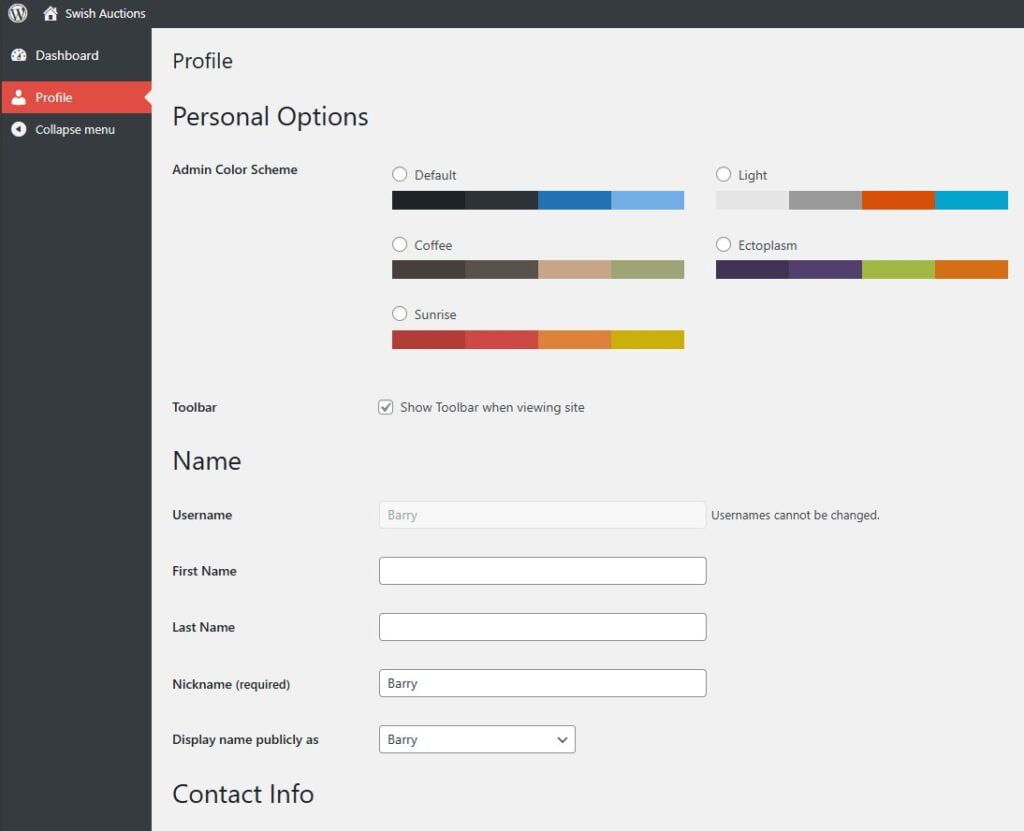
Your Profile Page
If you have any questions please use the form below.